
Quick start
Set up dalecheck and get your first team member working. It takes about 10 minutes.
1. Create an account
Section titled “1. Create an account”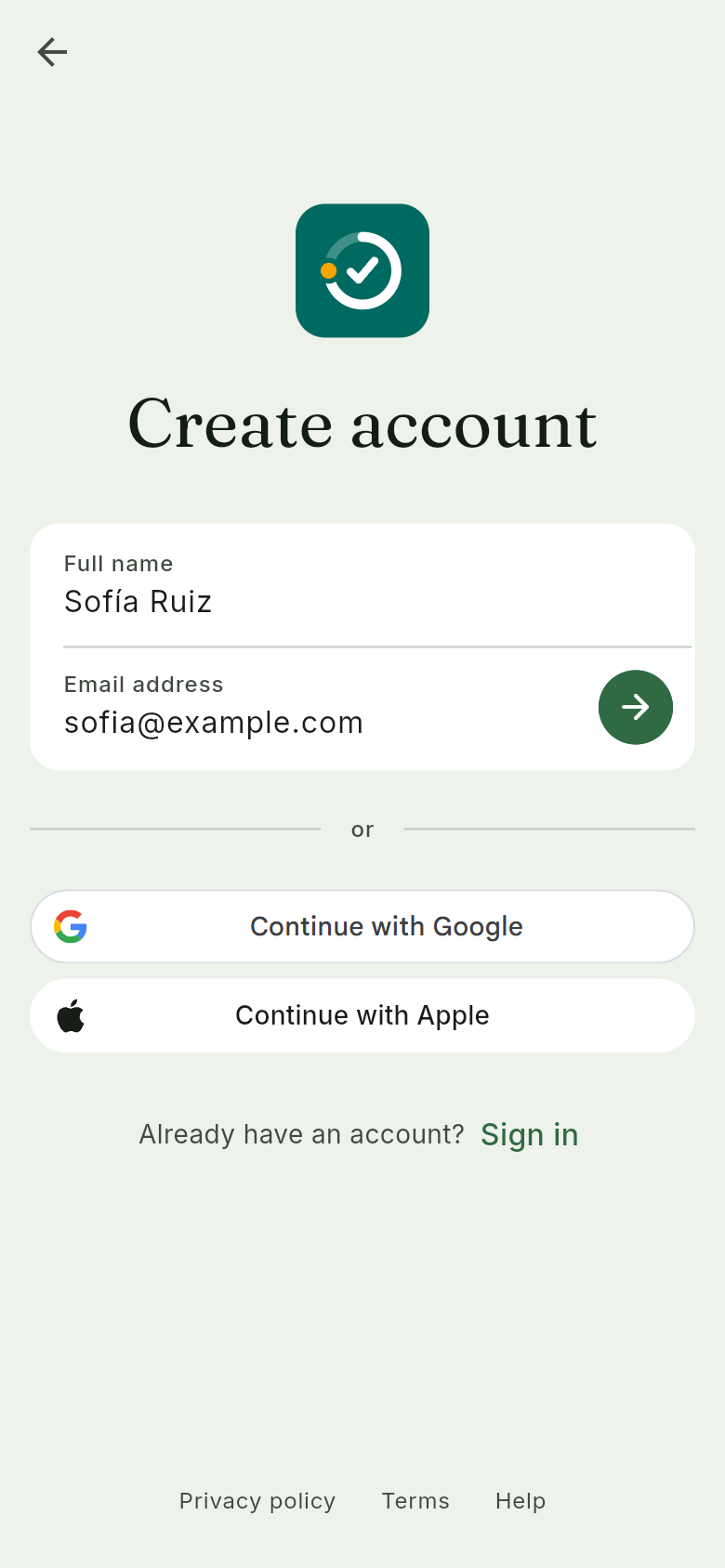
- Open dalecheck and tap Set up my home or business.
- Type your Full name.
- Type your Email address.
- Tap the arrow. dalecheck emails you a 6-digit code.
- Type the code. You are in.
2. Create your business
Section titled “2. Create your business”Right after you sign up, the New home or business screen opens. Start at step 4.
- Tap your picture at the top right.
- Tap Switch business.
- Tap Add a home or business.
- Tap Business.
- Type the Business name.
- Tap Industry and pick one.
- Tap Create.
3. Add a team member with no account
Section titled “3. Add a team member with no account”- Tap Manage, then People.
- Tap Add member, then No email.
- Type their name.
- Pick a role.
- Tap Add.
- Show them the QR code, or tap Copy link and send it.
4. Sign them in on their phone
Section titled “4. Sign them in on their phone”- On their phone, they open the link or scan the QR code.
- They tap Sign in.
- They land on their tasks.
From now on, that phone stays signed in as them. There is no password.